Below is a brief summary of all the changes to Windows 11 that are expected as part of the "2026 Update" which is due to be released in October 2026.

A common complaint with Windows 11 is that the Start Menu is too big, especially on smaller screen devices.
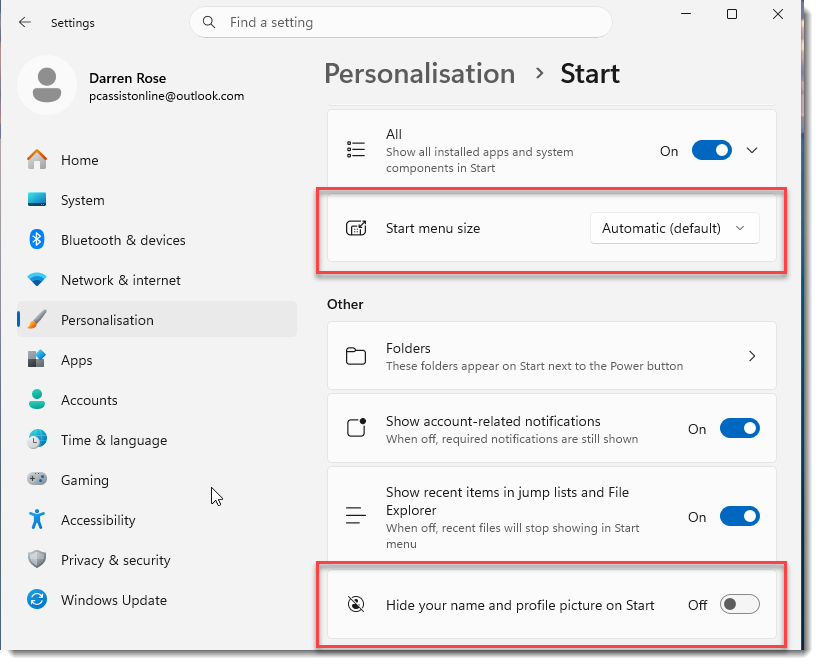
So with this new version you can now change the size of the Start Menu, and switch between Automatic, Small and Large.
You can also hide your name and profile picture to save even more space.
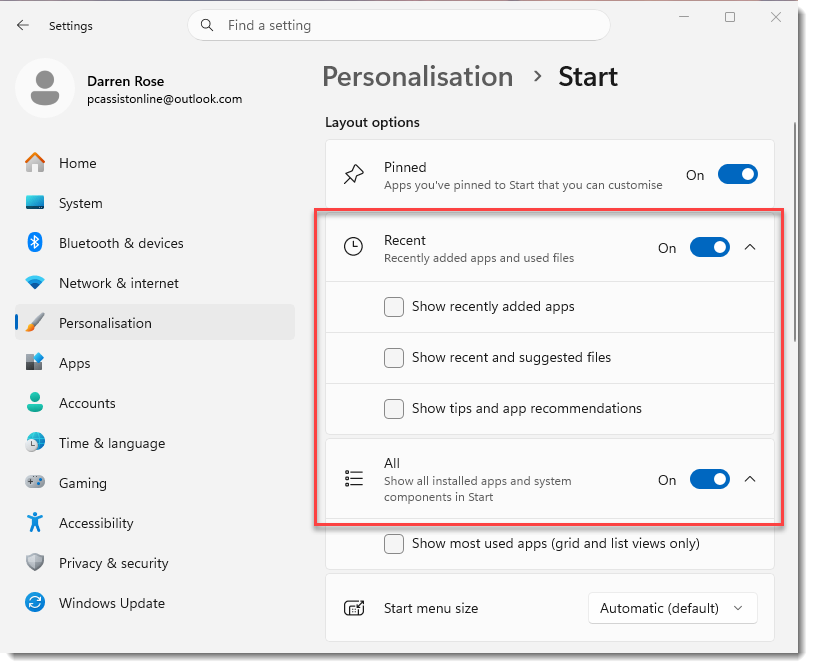
And you can turn off sections of the Start Menu such as Recent items and the All Apps section.
|
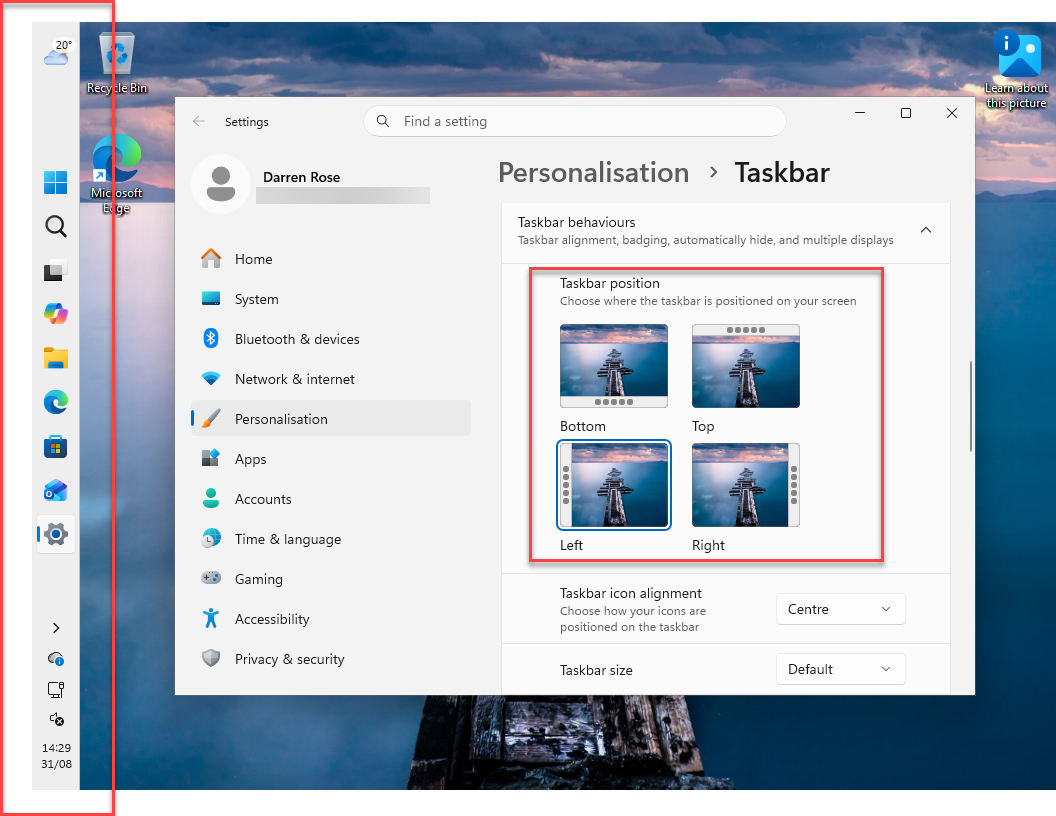
A feature which used to exist in earlier versions of Windows is returning to Windows 11 and that is the ability to move the Taskbar location from the bottom of the screen to either left, right or top of the screen.
The example image below shows it on the left of the screen.
|
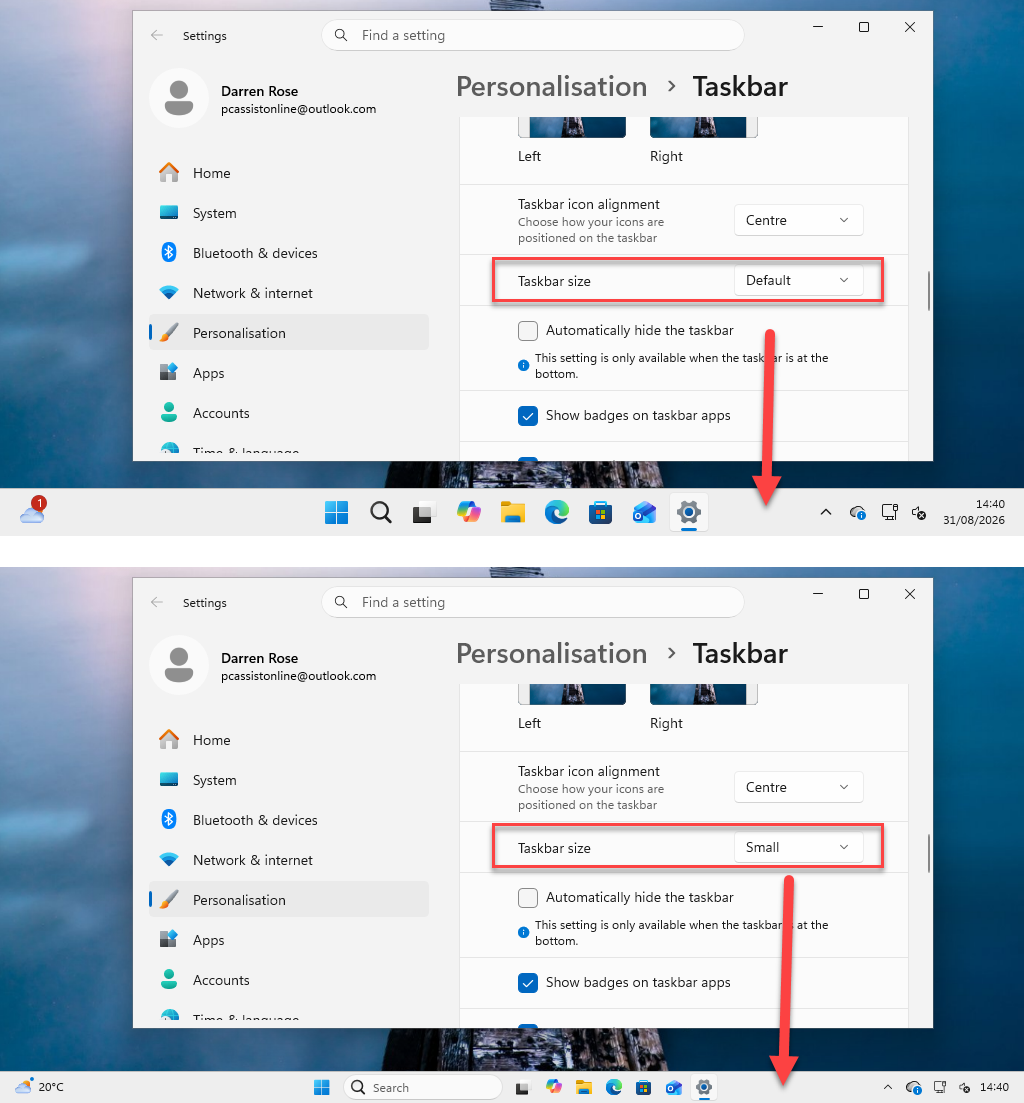
You also now have the option of making the Taskbar smaller. Example image below shows the Taskbar both Default size and in the new Smaller size.
|
|
