Follow the instructions below to install on other devices if you have purchased a multi-device license:
Android Phones / Tablets
N.B. Images below taken from Phone so may look slightly different when viewing on a Tablet
Follow relevant instructions below depending on whether installing on your device for the first time OR re-activating an existing version
Installing for the first time
1)If you don't already have AVG installed on your device then click here on your device to download and install AVG Security & Virus Cleaner - or open the Google Play Store on your Android device, search for AVG Security & Virus Cleaner and click Install
2)Open AVG by tapping the icon on your home / app screen
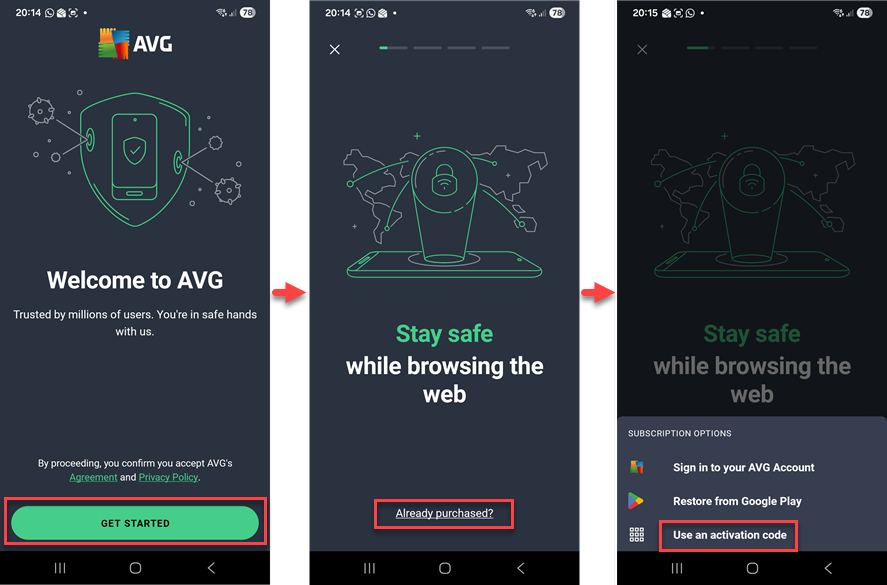
3)When running for the first time tap Get Started > Already purchased? > Use an activation code
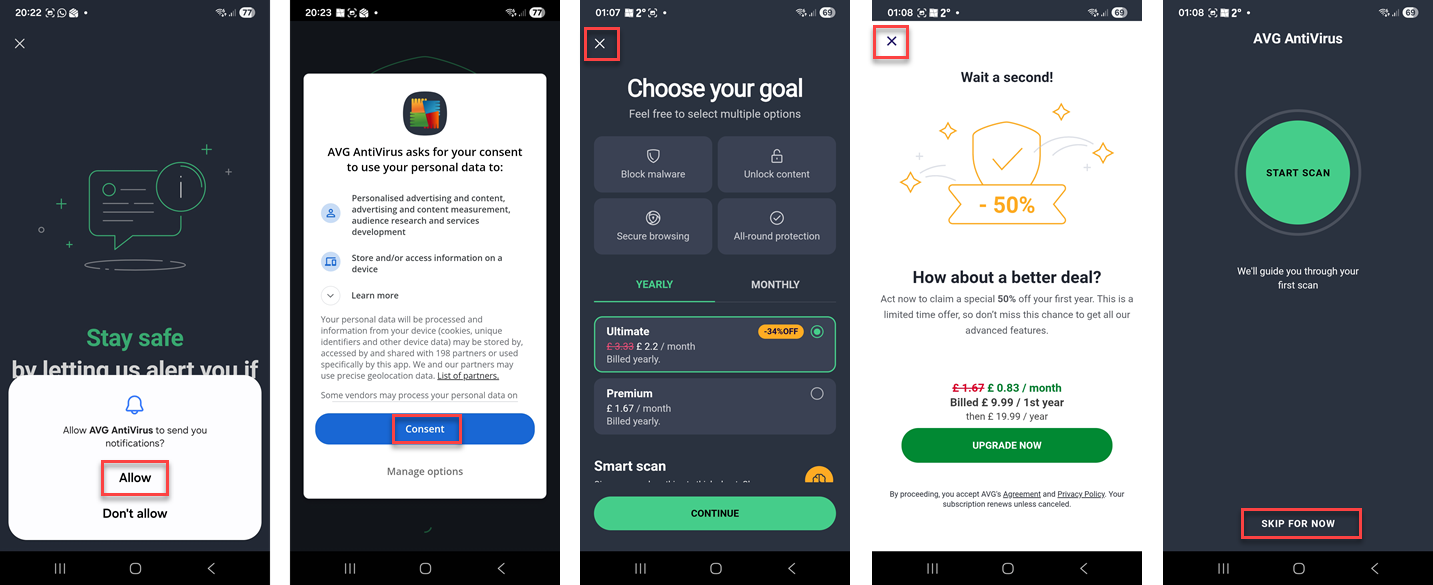
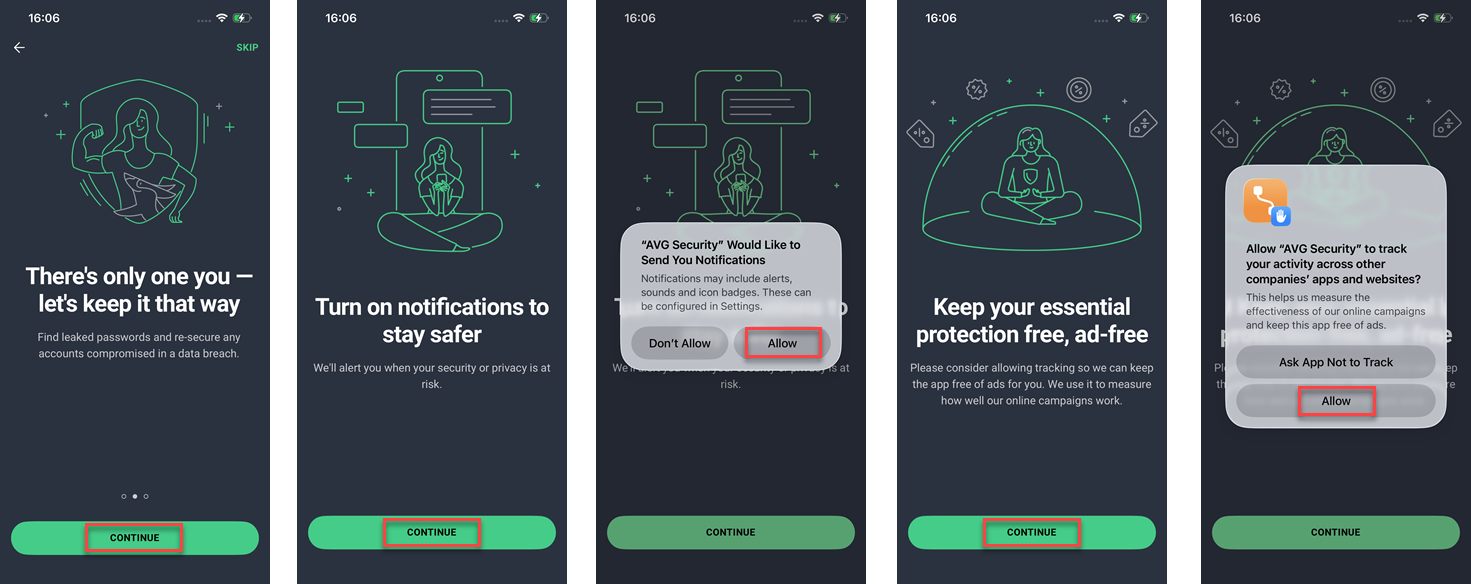
N.B. If you see any of the below screens then click Allow or Consent or the X in top corner or Skip For Now to progress
-OR-
4)Or if you missed the above Get Started / Already purchased? screen then tap Continue with Ads, then tap Account bottom right, and then under Subscription tap on the arrow “>” next to where it says Free, and then select Use an activation code
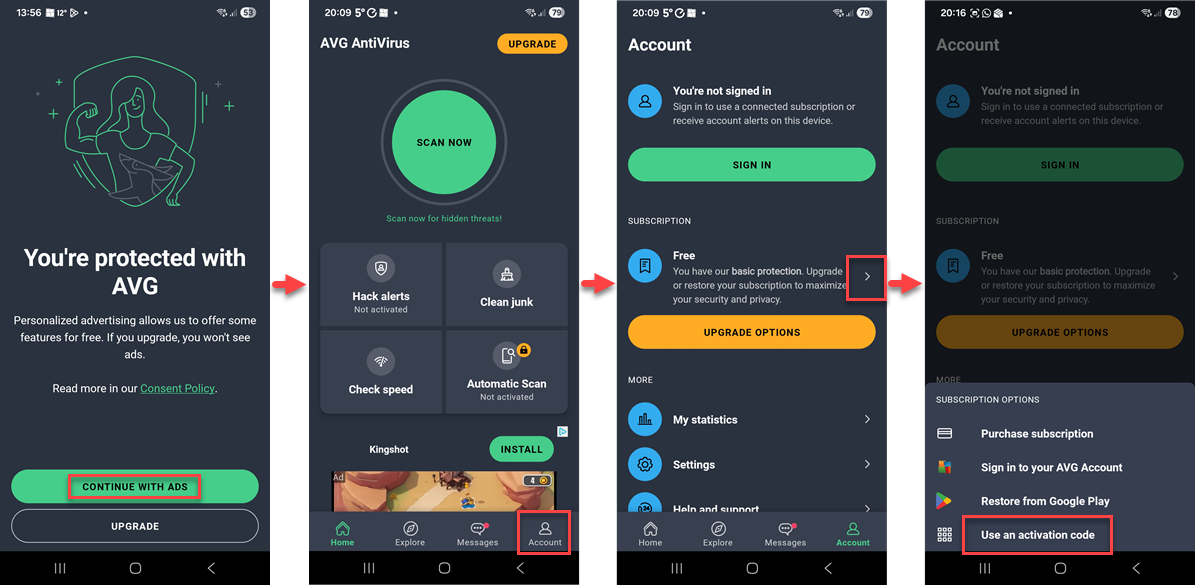
N.B. If you see any of the below screens then click Allow or Consent or the X in top corner or Skip For Now to progress
N.B. If you see any of the below screens then click Continue > Allow to progress
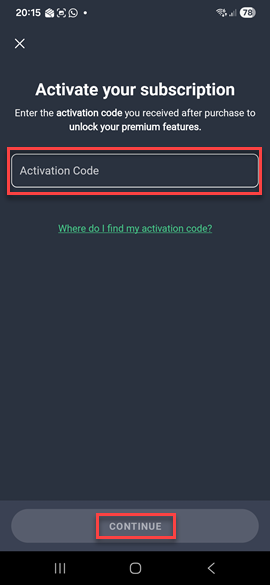
5)And then type or copy / paste your activation code (including hyphens) into the Activation Code box, then tap Continue and you will see a screen confirming successful activation
Reactivating an existing installation
1) Open AVG by tapping the icon on your home / app screen
2) Tap Account bottom right, and then under Subscription tap on the arrow “>” next to where it says Free (or Premium), and then select Use an activation code
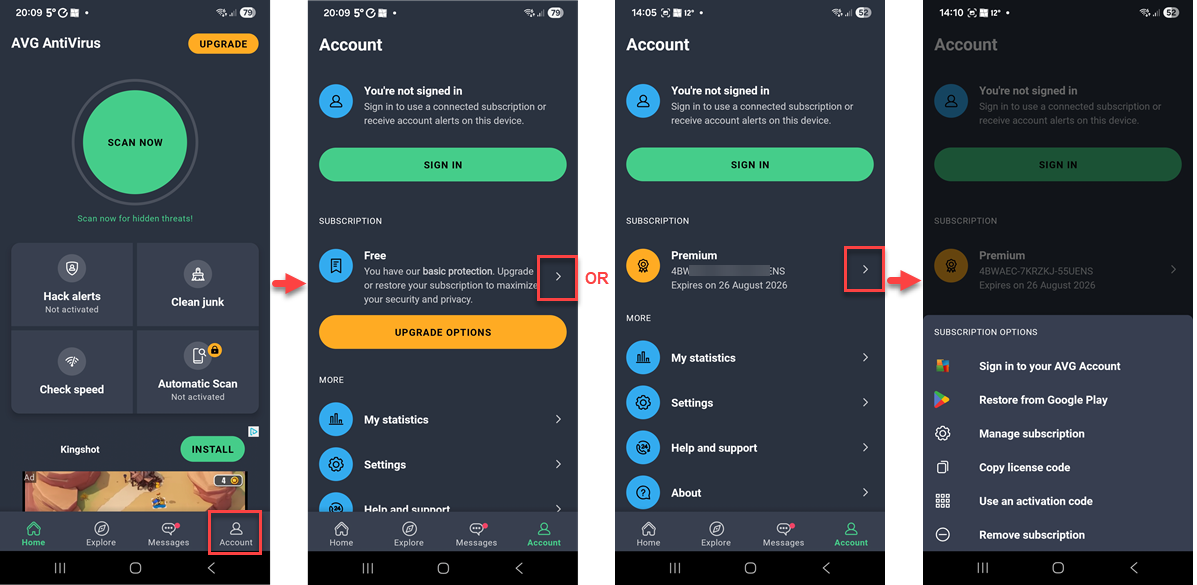
3) And then type or copy / paste your activation code (including hyphens) into the Activation Code box, then tap Continue and you will see a screen confirming successful activation
More details can be found on AVG website here
Apple iPhone / iPad
N.B. Images below taken from iPhone so may look slightly different when viewing on an iPad
Follow relevant instructions below depending on whether installing on your device for the first time OR re-activating an existing version
Installing for the first time
1)If you don't already have AVG installed on your device then click here on your device to download and install AVG Mobile Security - or open the App Store on your iPhone/iPad, search for AVG Mobile Security and click Get
2)Open AVG by tapping the icon on your home / app screen
3)When running for the first time tap Get Started > Already purchased? > Enter subscription code
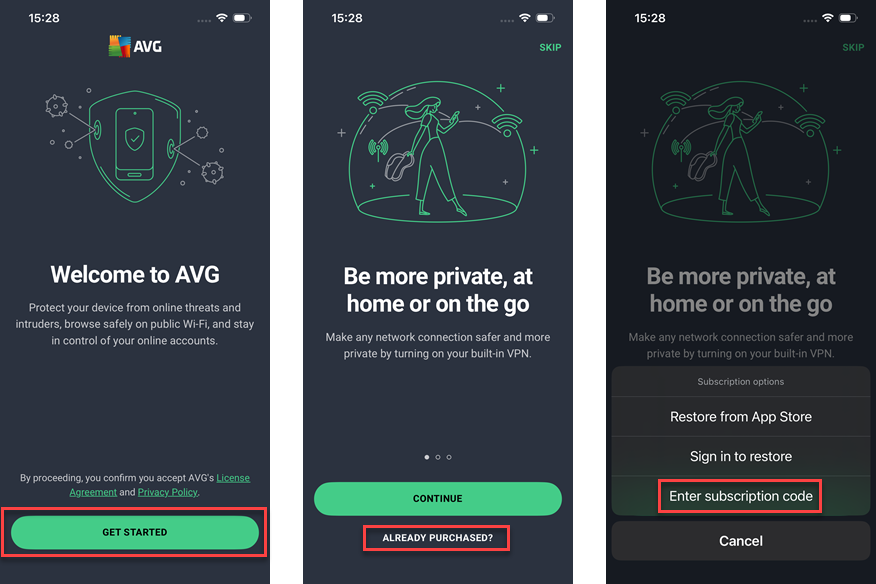
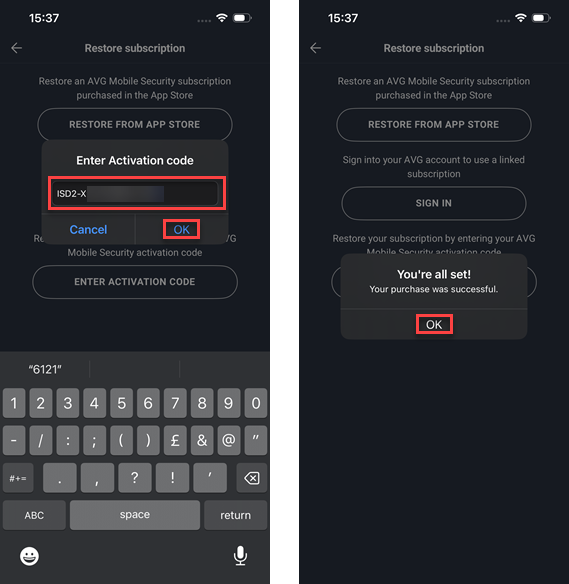
4)And then type or copy / paste your activation code (including hyphens) into the Restore Subscription box and then tap OK, you will see a screen confirming successful activation, click OK
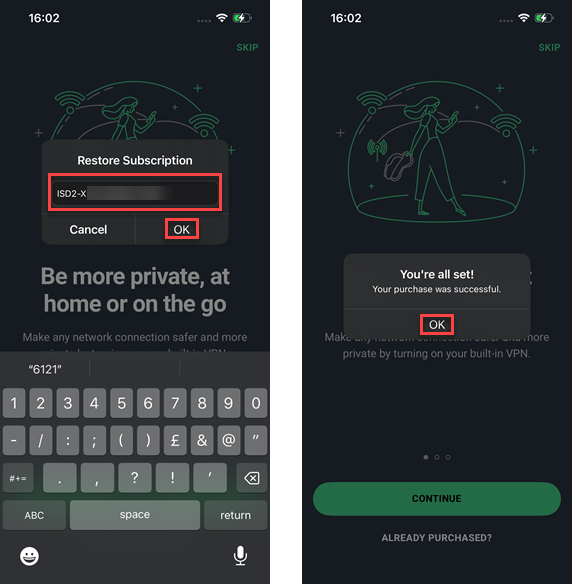
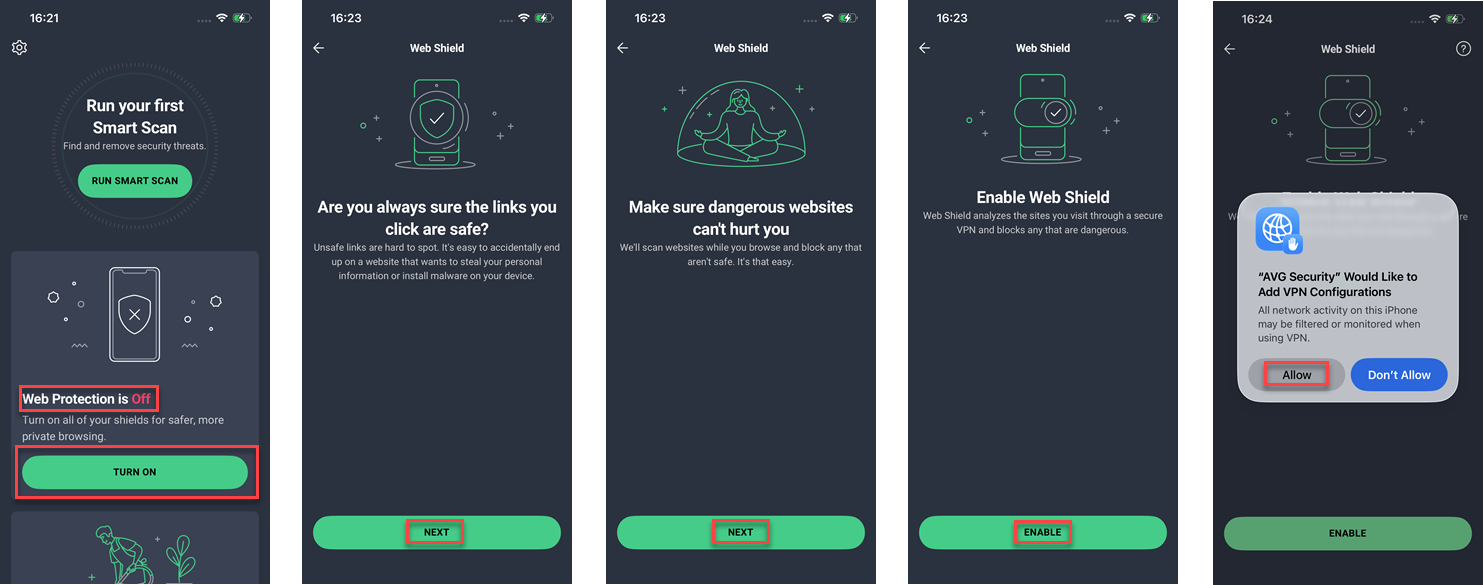
5) If Web Protection shows as Off then click Turn On > Next > Next > Enable > Allow
Reactivating an existing installation
1) Open AVG by tapping the icon on your home / app screen
2) Tap the cog icon in top left corner > and then under Subscription tap on the arrow “>” next to where it says Free (or Premium)
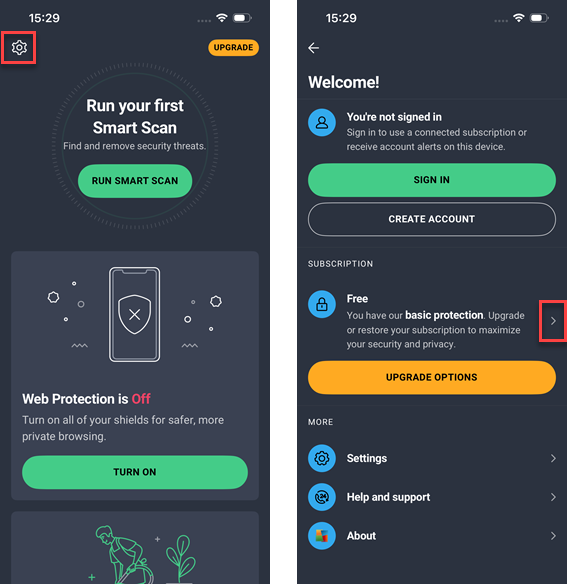
3) And then type or copy / paste your activation code (including hyphens) into the Enter Activation code box and then tap OK, you will see a screen confirming successful activation, click OK
4) If Web Protection shows as Off then click Turn On > Next > Next > Enable > Allow
More details can be found on AVG website here
Apple Mac
1)If you don't already have AVG Internet Security installed on your Mac you can find download link and installation instructions here (click on MAC)
2)Open AVG Internet Security, then go to Menu > My subscriptions
3)Select Activate paid features
4)Type or paste your activation code (including hyphens) into the text box, then click Activate
N.B. I do not provide support for Apple Mac devices
